
Account Settings & Profile 🦎
Manage your CrittrHavens account with ease. From profile updates to subscription management, keep everything just how you like it.
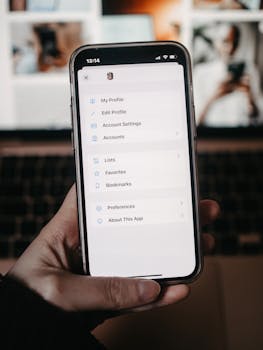
Your Profile
Your identity in the CrittrHavens community.
Profile Information
What you can manage:
- Display Name: How you appear in the app
- Email Address: Your login credential
- Password: Security settings (email accounts only)
- Push Notifications: Mobile alert preferences
Updating Your Profile
Make changes anytime:
- Navigate to Settings from the Extras menu
- Find the Account section
- Edit your display name
- Changes save automatically
- Updates reflect immediately
Password Management
Keep your account secure with strong passwords.
Changing Your Password
For email accounts only:
- Open Settings
- Tap Change Password
- Enter current password
- Create new password
- Confirm the change
Note: Social login users (Google) manage passwords through their provider.
Password Requirements
Stay secure with:
- Minimum 6 characters
- Mix of letters and numbers recommended
- Special characters for extra security
- Unique from other accounts
Subscription Management
Control your CrittrHavens plan.

Current Plan Status
View your subscription:
- Active plan tier (Free, Care, or CarePlus)
- Renewal date
- Payment method
- Trial status if applicable
Managing Your Subscription
Easy subscription control:
- Go to Settings > Subscription
- View current plan details
- Tap Manage Subscription
- Opens billing portal
- Update payment or plan
Available Plans
Choose what fits:
Free Plan
- 3 crittrs
- 2 havens
- Basic features
- Mobile access
Care Plan ($2.99/month)
- 10 crittrs
- 5 havens
- Advanced features
- Priority support
CarePlus Plan ($3.99/month)
- Unlimited everything
- All features
- Premium support
- Advanced analytics
Push Notifications
Stay informed about your reptile care.
Enabling Notifications
Mobile alerts setup:
- Open Settings
- Find Push Notifications toggle
- Enable notifications
- Grant device permissions
- Customize preferences
Notification Options
Control what alerts you:
- Task reminders
- Feeding schedules
- Low inventory alerts
- Health milestones
- App updates
Daily Summary
Consolidated updates:
- Enable daily summary
- Choose delivery time
- All tasks in one notification
- Reduces notification overload
Account Security
Protect your data and privacy.
Security Features
Built-in protection:
- Encrypted data storage
- Secure authentication
- Session management
- Password protection
- Social login option
Best Practices
Stay safe:
- Use strong passwords
- Don't share credentials
- Sign out on shared devices
- Keep app updated
- Monitor account activity
Account Deletion
Full control over your data.
Deleting Your Account
Permanent removal:
- Go to Settings
- Scroll to danger zone
- Tap Delete Account
- Confirm your decision
- Account removed permanently
Warning: This action cannot be undone. All data will be permanently deleted.
Before Deleting
Consider first:
- Export your data
- Download photos
- Save important logs
- Cancel subscription
- Try deactivating instead
Data Export
Your data belongs to you.
Exporting Your Data
Get your information:
- Navigate to Settings
- Find Data & Privacy
- Select Export Data
- Choose format (CSV/JSON)
- Download complete
What's Included
Export contains:
- Pet profiles
- Care logs
- Task schedules
- Growth data
- Inventory records
- Photos (separately)
Account Recovery
Get back into your account.
Forgot Password
Reset process:
- On sign-in page
- Tap "Forgot Password"
- Enter email address
- Check inbox
- Follow reset link
Account Issues
Common solutions:
- Verify email address
- Check spam folder
- Clear browser cache
- Try different device
- Contact support
Social Login Management
Using Google sign-in.
Google Account Users
Special considerations:
- Password managed by Google
- Can't change password in app
- Unlink not available
- Use Google security settings
Benefits
Why use social login:
- No password to remember
- Quick sign-in
- Enhanced security
- Single sign-on
- Automatic updates
Profile Privacy
Control your information.
Privacy Settings
What's private:
- Email address
- Personal data
- Care logs
- Pet information
- All by default
Data Visibility
Your data is:
- Private to you
- Not shared
- Not sold
- Encrypted
- Deletable
Troubleshooting Account Issues
Quick fixes for common problems.
Can't sign in?
- Check email/password
- Reset password
- Clear cache
- Try different browser
Subscription not showing?
- Refresh page
- Check payment
- Sign out/in
- Contact support
Changes not saving?
- Check connection
- Refresh app
- Try again
- Update app
Best Practices
Get the most from your account.
Regular Maintenance
- Update profile info
- Review security settings
- Check subscription status
- Monitor notifications
- Export data regularly
Security Tips
- Strong unique password
- Regular password changes
- Monitor account activity
- Keep email current
- Enable all security features
Support
We're here to help.
Getting Help
Support options:
- In-app help center
- Email support
- Documentation
- Community forums
- FAQ section
Contact Information
Reach us at:
- Email: support@crittrhavens.com
- Website: https://crittrhavens.com
- Help Center: In-app
Next Steps
Explore more settings.
- Privacy & Security - Data protection
- App Preferences - Customize your experience
- Support & Help - Get assistance
- Subscription Guide - Plan details
Your account, your way. Keep your CrittrHavens experience perfectly tuned to your reptile care needs. 🌿✨