
App Preferences & Customization 🎨
Tailor CrittrHavens to match your reptile-keeping style. Adjust notifications, units, and more to create your perfect care management experience.
Notification Preferences
Fine-tune how CrittrHavens keeps you informed about your reptiles' needs.
Push Notification Settings
Control mobile alerts:
- Enable/Disable: Master toggle for all push notifications
- Daily Summary: Get one consolidated notification
- Summary Time: Choose when to receive daily summary
- Individual Alerts: Per-task notifications
Notification Categories
Customize by type:
- Feeding Reminders: Meal time alerts
- Task Reminders: General care tasks
- Milestone Notifications: Growth achievements
- Low Stock Alerts: Inventory warnings
- Health Reminders: Measurement schedules
Setting Up Notifications
Configure your preferences:
- Go to Settings
- Find Notifications section
- Toggle push notifications on
- Set daily summary time
- Choose alert categories
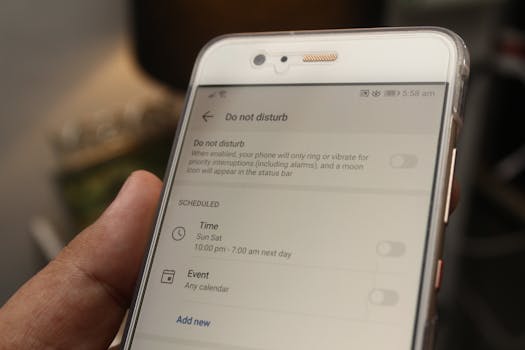
Quiet Hours
Peace when you need it:
- Set do-not-disturb periods
- Override for critical tasks
- Weekend different from weekdays
- Respect device settings
Measurement Units
Track your reptiles' growth in units that make sense to you.
Available Units
Supported measurements:
- Weight: Grams or pounds
- Length: Centimeters, millimeters, or inches
- Temperature: Celsius or Fahrenheit
- Volume: Milliliters or fluid ounces
Setting Your Preference
While full unit preference UI is coming soon, the app currently:
- Accepts multiple unit types
- Displays units as entered
- Maintains consistency per measurement
- Shows abbreviated units (g, cm, °C)
Display Settings
Optimize how CrittrHavens looks on your device.
Current Display Options
What's available now:
- Responsive mobile layout
- Automatic dark mode support (follows device)
- Accessible font sizing (follows device)
- High contrast support
Coming Soon
Future display features:
- Manual theme selection
- Custom color schemes
- Font size adjustment
- Layout density options
Regional Settings
Localization for your location.
Date & Time
Currently follows device:
- Date format (MM/DD or DD/MM)
- 12-hour or 24-hour time
- Timezone automatically detected
- Week start day
Language
Currently available:
- English (US)
- More languages planned
Default Settings
Set defaults for new items to save time.
Haven Defaults
When creating havens:
- Default layout type
- Preferred slot count
- Background selection
- Initial view mode
Task Defaults
For new tasks:
- Default reminder time
- Lead time for alerts
- Preferred categories
- Recurrence patterns
Inventory Defaults
Stock management:
- Minimum stock levels
- Reorder quantities
- Alert thresholds
- Supplier preferences
Performance Settings
Optimize app performance for your device.
Data & Storage
Manage resources:
- Photo upload quality
- Cache size limits
- Offline data amount
- Sync frequency
Battery Optimization
Mobile efficiency:
- Background sync frequency
- Push notification batching
- Location services usage
- Auto-refresh settings
Accessibility Options
Making CrittrHavens usable for everyone.
Visual Accessibility
Support features:
- Respects device text size
- High contrast when enabled
- Screen reader compatible
- Clear touch targets
Interaction Aids
Easier usage:
- Larger tap areas
- Longer timeouts
- Simplified gestures
- Voice control ready
Privacy Preferences
Control your data sharing.
Analytics Settings
What we track:
- App Performance: Crash reports and speed
- Usage Analytics: Feature popularity
- Error Reporting: Bug tracking
Toggle each category:
- Performance monitoring
- Usage analytics
- Crash reporting
- All can be disabled
Data Sharing
Your control:
- No data sold ever
- Analytics are anonymous
- Opt-out available
- Minimal collection
Advanced Preferences
Power user settings.
Developer Options
For troubleshooting:
- Debug logging
- Performance stats
- Cache management
- Data inspection
Experimental Features
Try new features:
- Beta features toggle
- Early access options
- Test new UI
- Provide feedback
Backup Preferences
Protect your data.
Auto-Backup
Coming soon:
- Scheduled backups
- Cloud sync options
- Export reminders
- Version history
Manual Backup
Current options:
- Export data anytime
- Download photos
- Save to device
- Email backup
Reset Options
Start fresh when needed.
Reset Preferences
Return to defaults:
- Settings > Advanced
- Reset Preferences
- Confirm action
- Settings restored
- Data unchanged
Clear Cache
Free up space:
- Clear photo cache
- Reset offline data
- Remove temp files
- Maintain favorites
Import/Export Settings
Move settings between devices.
Export Settings
Save your setup:
- Export preferences
- Save to file
- Share config
- Backup settings
Import Settings
Restore preferences:
- Load from file
- Apply to account
- Merge with existing
- Override options
Troubleshooting Preferences
Fix preference issues.
Settings not saving?
- Check connection
- Force close app
- Clear cache
- Reinstall if needed
Notifications not working?
- Check device settings
- Verify permissions
- Test with single alert
- Review quiet hours
Units showing wrong?
- Verify selection saved
- Check per measurement
- Refresh view
- Contact support
Best Practices
Get the most from customization.
Initial Setup
- Configure during onboarding
- Start with defaults
- Adjust gradually
- Test settings
Regular Review
- Monthly preference check
- Adjust for seasons
- Update as needs change
- Clean up unused
Performance Tips
- Limit background sync
- Manage photo quality
- Clear cache regularly
- Monitor battery usage
Platform Differences
iOS vs Android preferences.
iOS Specific
- Integrates with Focus modes
- Respects Screen Time
- Uses system notifications
- iCloud backup (coming)
Android Specific
- Notification channels
- Battery optimization
- Widget preferences
- Google backup (coming)
Getting Help
Support for preferences.
Help Resources
- In-app tooltips
- Settings descriptions
- Help center articles
- Video tutorials
Contact Support
- Email: support@crittrhavens.com
- In-app help
- Community forum
- FAQ section
Next Steps
Continue customizing CrittrHavens.
- Account Settings - Profile management
- Privacy & Security - Data control
- Support & Help - Get assistance
- Notifications - Deep dive
Your preferences, your way. Make CrittrHavens work perfectly for your reptile and amphibian care routine. 🎯✨